
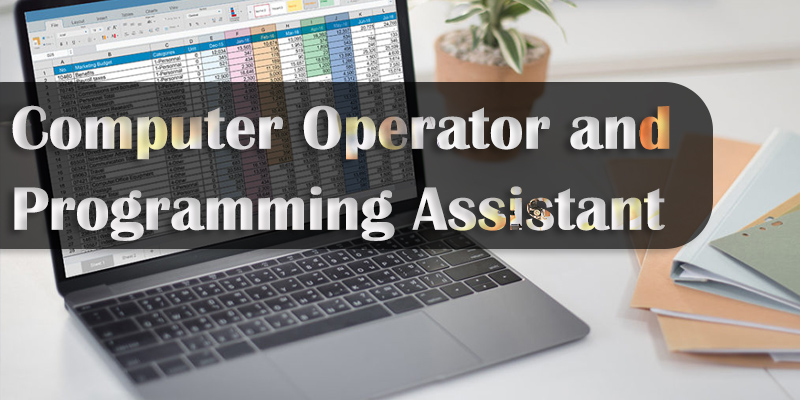
The Computer Operator and Programming Assistant (COPA) is a 1-year, NSQF Level 4 ITI trade focusing on computer operations, programming, and IT support. Candidates must have passed the 10th grade to join, gaining skills in MS Office, JavaScript, database management, and cyber security for roles like Data Entry Operators or IT Assistants.
Key Aspects of ITI COPA Course:
- Duration & Structure: 1 year, split into two semesters, usually consisting of 1,600 hours of training.
- Core Syllabus: Fundamentals of Computer, Operating Systems (Windows/Linux), MS Office Suite (Word, Excel, PowerPoint), Basic HTML & CSS, JavaScript, Networking Concepts, Cyber Security, and Tally.
- Eligibility: 10th grade passed (minimum age generally 14 years).
- Certification: National Trade Certificate (NTC) recognized nationwide, issued by DGT (Directorate General of Training).
Career Options & Jobs:
- Data Entry Operator/Computer Operator: Handling data entry and administrative tasks in private or government sectors.
- Programming Assistant: Assisting software developers with basic coding and documentation.
- IT Support Technician: Troubleshooting hardware and software issues.
- Web Designer: Creating simple static websites and web-based applications.
- Self-Employment: Running a cyber cafe or providing computer education.
Salary Expectations:
Entry-level positions often offer monthly salaries ranging from ₹12,000 to ₹25,000 in private firms, depending on location and skill level.
Higher Education & Apprenticeship:
After completing the COPA course, graduates can take up an Apprenticeship Training (NAC) or pursue higher studies like a Diploma in Computer Science/Application, or join the Craft Instructor Training Scheme (CITS) to become ITI instructors.
🎯 Fine-Tuning the Presentation and Good Presentation Techniques
🎞️ Creating Slide Shows – Trade Theory for COPA
🧾 Introduction
A Slide Show is a digital presentation of a series of slides displayed one after another on a screen, usually accompanied by narration, animations, or multimedia content. In Microsoft PowerPoint, slide shows are the final output of your created slides, shown in a sequence during a presentation.
📽️ Introduction to PowerPoint and Its Advantages
🎨 Introduction to the Properties and Editing of Images
🧾 Introduction
In today’s digital world, images are everywhere — from websites and social media to printed materials and user interfaces. For a Computer Operator and Programming Assistant (COPA), understanding how images work and how to edit them is an essential skill. Whether it's resizing a logo, adjusting photo brightness, or creating a promotional banner, basic image editing is a common part of daily IT tasks.
🧑💻 Introduction to OpenOffice – Trade Theory for COPA
In the world of digital productivity, office suites play a central role in creating documents, spreadsheets, presentations, and more. While Microsoft Office is a popular choice, OpenOffice provides a powerful, free, and open-source alternative that is widely used in education, small businesses, and government sectors across the world.
Power Point Presentations
🎨 Image Editing, Creating Presentations & Using OpenOffice – COPA Trade Theory
In the modern workplace, the ability to create compelling visuals, presentations, and documents is a vital digital skill. As a COPA student, you will gain practical knowledge in image editing, presentation creation, and working with open-source software suites like OpenOffice.
📝 Introduction to Reporting – COPA Trade Theory
📊 Pivot Tables, Goal Seeking, and Scenarios – COPA Trade Theory
📊 Data Tables – COPA Trade Theory
In computer applications like Microsoft Excel, data tables are essential for organizing, managing, and analyzing data. A data table is a collection of related information arranged in rows and columns. Data tables allow users to sort, filter, and manipulate large sets of data easily.